Refill Reminder IVR Outbound Calling
This topic is part of the Refill Reminder section that is intended for independent pharmacies only. This topic is not applicable to Rexall pharmacies.
If your pharmacy has IVR outbound calling activated, calls can be performed to your patients to remind them that their prescriptions are coming up for refill soon.
If your pharmacy or the patient are set to perform IVR outbound calling for Refill Reminder, Refill Reminder activities will not be scheduled.
Setting Refill Reminder IVR Outbound Calling Preferences
Refill Reminder IVR outbound calling preferences are set in two places:
-
Adherence Preferences - default settings for Refill Reminder IVR outbound calling.
-
Programs tab of the Patient Folder - specific settings for that patient. This overrides the Adherence Preferences setting.
Use the dropdowns the learn more.
 Adherence Preferences
The Adherence Preferences sets the overall preference for the Refill Reminder IVR outbound calling. When set in the Adherence Preferences, a Refill Reminder IVR outbound call is automatically completed for every prescription that has a refill that is not part of the exceptions list.
If a patient does not want to have Refill Reminder or wants a different preference set, this can be done from the Programs tab.
To set the Refill Reminder IVR outbound calling preferences in Adherence Preferences:
-
Select
 > Pharmacy.
 -
Select Adherence.

The Adherence Preferences window appears.
-
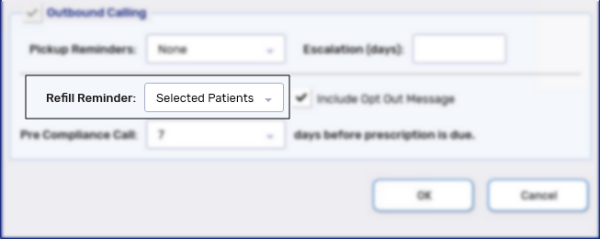
From the Refill Reminder dropdown, select one of the following options:
-
None - your pharmacy is not using Refill Reminder IVR outbound calling.
-
All Patients - all patients are automatically enrolled in the program and receive Refill Reminder IVR outbound calls.
-
Selected Patients - only patients that have enrolled in the program will receive Refill Reminder IVR outbound calls.
-
-
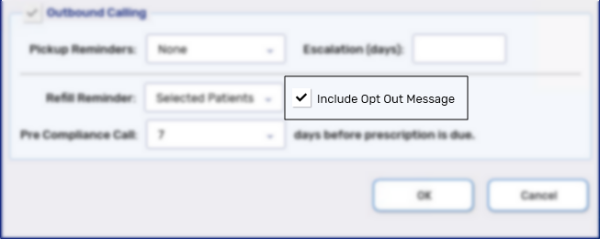
Select the Include Opt Out Message checkbox, if you would like to include an opt out message as part of the IVR outbound call.
-
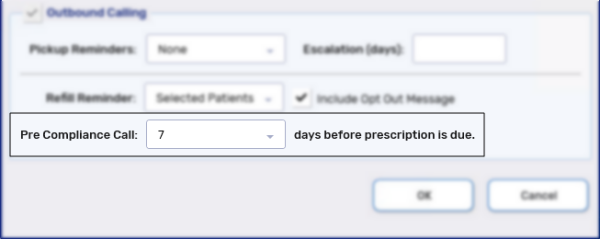
From the Pre Compliance Call dropdown, select one of the following options:
-
None - no pre compliance call is performed.
-
0-14 - Refill Reminder IVR outbound calls are completed the specified number of days prior to a prescription's days supply completing.
-
-
Select OK. The Adherence Preferences window closes.
-
Select Save.
Programs tab of the Patient Folder
The Refill Reminder IVR outbound calling preferences in the Programs tab of the Patient Folder applies to this specific patient and overrides the preferences set in Adherence Preferences.
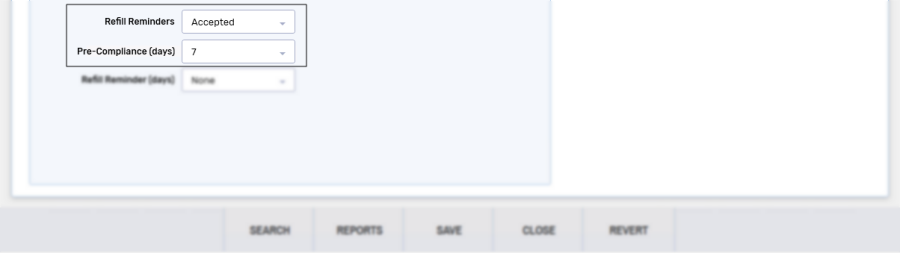
The following two preferences can be set:
-
Refill Reminder dropdown - determines if a patient is enrolled to receive Refill Reminder IVR outbound calling.
-
Not Asked -patient has not been asked.
If the Refill Reminder dropdown in Adherence Preferences is set to All Patients, this patient will receive an IVR outbound call.
If the Refill Reminder dropdown in Adherence Preferences is set to Selected Patients, this patient will not receive an IVR outbound call.
-
Accepted - patient will receive IVR outbound calls.
-
Declined - patient will not receive IVR outbound calls.
-
-
Pre-Compliance (days) dropdown - determines the number of days prior to a prescription's days supply ending that the patient will receive a call.
-
Not Asked - patient has not been asked.
If the Refill Reminder dropdown in Adherence Preferences is set to All Patients, this patient will receive an IVR outbound call based on the Pre Compliance Call dropdown.
If the Refill Reminder dropdown in Adherence Preferences is set to Selected Patients, this patient will not receive an IVR outbound call.
-
Declined - patient will not receive a pre-compliance call.
-
0-14 - Refill Reminder IVR outbound calls are completed the specified number of days prior to a prescription's days supply completing.
-
The Refill Reminder Days dropdown does not affect the Refill Reminder IVR outbound calling and is only used when setting up activities. For more information, see Setting Refill Reminder Activity Preferences.
Once the Refill Reminder IVR outbound calling preferences are set, calls will automatically be performed to the patients based on the Communication Method and Communication Preference set in the Programs tab.
Refill Reminder IVR Outbound Call Prescriptions
After a call has been completed, a prescription can either be automatically processed or appear in the Data Entry queue with a T to be processed.
Prescriptions refilled due to the Refill Reminder IVR outbound call will only be automatically processed if the Background IVR, Auto Refill, Web Refill preference is set and there are no adjudication issues. Otherwise, it appears in the Data Entry queue with a T.